Hello World, It’s a long time we haven’t spoken about deployment technology and more specifically MDT. More and more customers are requesting information about migration and deployment solution in order to move to Windows 10Continue reading
Category: Deploy Technics
Deploying Windows OS,HowTo, WDS, PXE, MDT,…
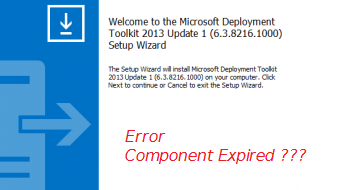
MDT 2013 – A component of Operating System has expired error
Hello world, This is a long time since my last technical post about MDT 2013. In the previous posts, we have mentioned the release of the preview version of MDT 2013 Update 1 (see MDT –Continue reading
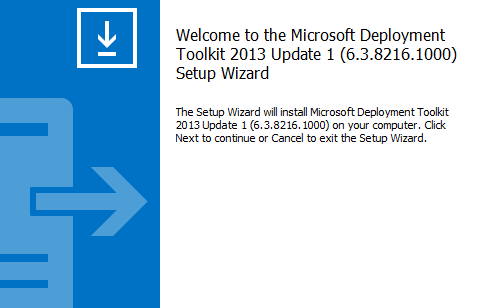
MDT 2013 Update 1 Available
Hello World, In one of our previous post (not that long ago), we were announcing that a Technical Preview of MDT 2013 Update 1 was available to download. This Update was needed in order toContinue reading
MDT – MDT 2013 Update 1 Preview is available
Hello World; As you can imagine, we are quite busy lately with a lot of projects coming along the road. I will not complaint because not so long ago I was about to have noContinue reading
MDT 2013 – Integrate Updates in Deployment
Hello World, It has been some time since our last post about the MDT technology. We have been discussed quite a lot about how to use it effectively and how to set it up inContinue reading
MDT 2013 – Deployment Monitoring through DaRT
Hello World, This year we are expecting some activities related to deployment solutions since Windows 10 is on its way. Some customers wants to start testing Windows 8.x and Windows 10 deployment using their currentContinue reading
MDT 2013 – Control First Run Office 2013 through GPO
Hello World, In our previous post, we talked about deploying Office 2013 using MDT 2013. We have seen that the process was quite similar as the previous versions. The only main change is the wayContinue reading
MDT 2013 – Deploy Office 2013 & OCT
Hello World, Today again, we will discuss a little bit about MDT 2013. We will see how we can deploy Office 2013 through MDT 2013. The process is quite similar to deploying office 2010 butContinue reading
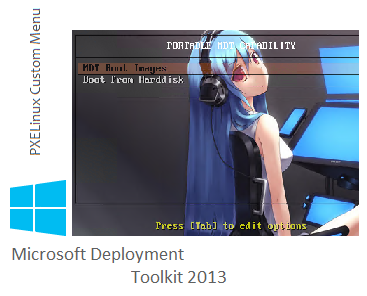
MDT 2013/WDS Win 2012R2 – using pxelinux as pxe boot loader
Hello world, In the previous post, we have seen how it was possible to easily combine WDS and MDT 2013 in order to build a portable deployment infrastructure. In the past (and the solution isContinue reading
MDT 2013 – Standalone WDS in Windows 2012 R2
Hello World, In the previous post, we have seen how to take advantage of WDS component when using MDT 2013 deployment solution on a Windows 2008 R2 server. In this post, we will show youContinue reading